

A header is the upper area of a website. It usually contains the logo, the menu and an important button. The header helps visitors to immediately understand where they are and how they can navigate the website.
Definition in one sentence:
A website header is the upper area of a website with logo and navigation that gives visitors orientation – for example on sites like bscwebdesign.at.
Question: Where is the header?
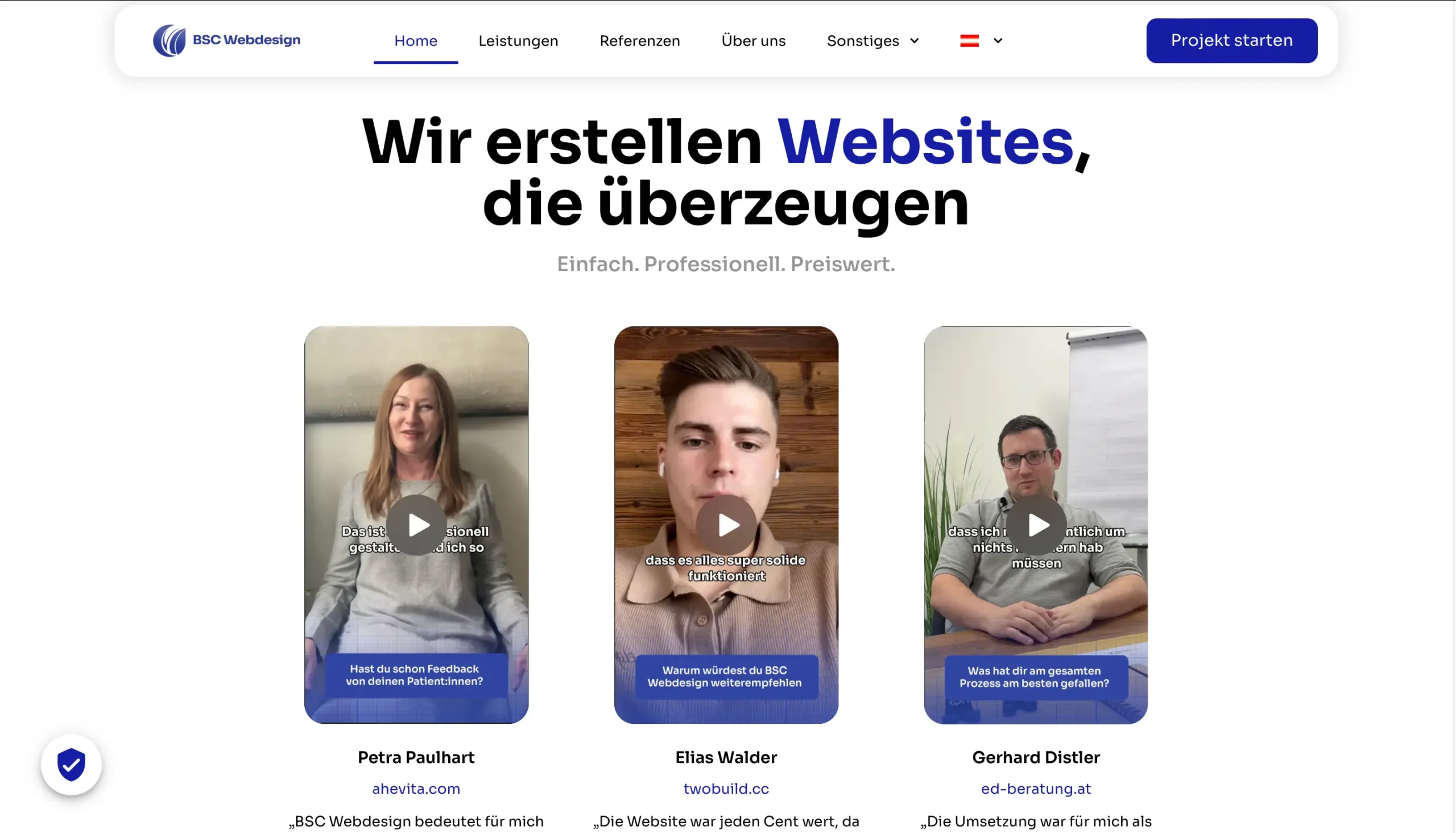
Example website without marked header
What belongs in a header? (typical structure)
A good website header is clear and easy to understand. Especially for beginners: clear is better than complicated.- Logo – usually placed on the left and linked to the homepage
- Navigation / menu – e.g. home page, services, contact
- Call-to-action – often a button like “Contact”
- Optional: Telephone number or short note
Why is the header so important?
The header is one of the most important areas in web design. Visitors often decide in just a few seconds whether they stay – a clearly structured header helps enormously.- Orientation: content can be found more quickly
- Trust: The website looks professional
- Usability: Good navigation reduces frustration
- Conversion: A clear button increases clicks
Tip:
If you want to set up your website yourself step by step, our guide will help you:
Create website 2025 – step-by-step guide
.
Website header structure: What makes sense?
A sensible header is not overloaded. For a good structure we recommend:- Maximum 5-7 menu items
- Clear terms instead of creative fantasy names
- A clearly visible contact button
- Always consider mobile display
Difference header vs. footer
Header and footer have different tasks:- Header: Top – Navigation & orientation
- Footer: Below – Additional information & mandatory links
Read more:
You can find out exactly what belongs in the footer here:
What is a footer? Simply explained
Conclusion: The header determines orientation
A website header is more than just a menu. It determines whether visitors find their way around, build trust and continue clicking. A clear, well-structured header is therefore one of the most important foundations of any website.Next step:
In the big guide
Create website 2025 – step-by-step guide
you can see how header, footer and content together create a functioning website.
FAQ – short & simple
What is a header on a website?
A header is the top section of a website. It usually contains the logo, menu and an important button and helps visitors to find their way around.Is the header the same on every page?
Yes, in most cases the header is the same on all pages so that users always have the same navigation.What is a sticky header?
A sticky header remains visible when scrolling. This is practical for navigation, but should not take up too much space.What is the difference between header and footer?
The header is at the top and is used for navigation. The footer is at the bottom and contains additional information such as contact or legal links.Do I absolutely need a header?
Yes, without a header, visitors lack orientation. A clear header is essential, especially for websites for beginners.