

A footer is the bottom section of a website. This is where visitors often find important links such as contact, legal notice or data protection. A good footer ensures that the right information can be found quickly at the bottom of a page.
Definition in one sentence:
A website footer is the bottom section of a website with important links and additional information that help visitors quickly.
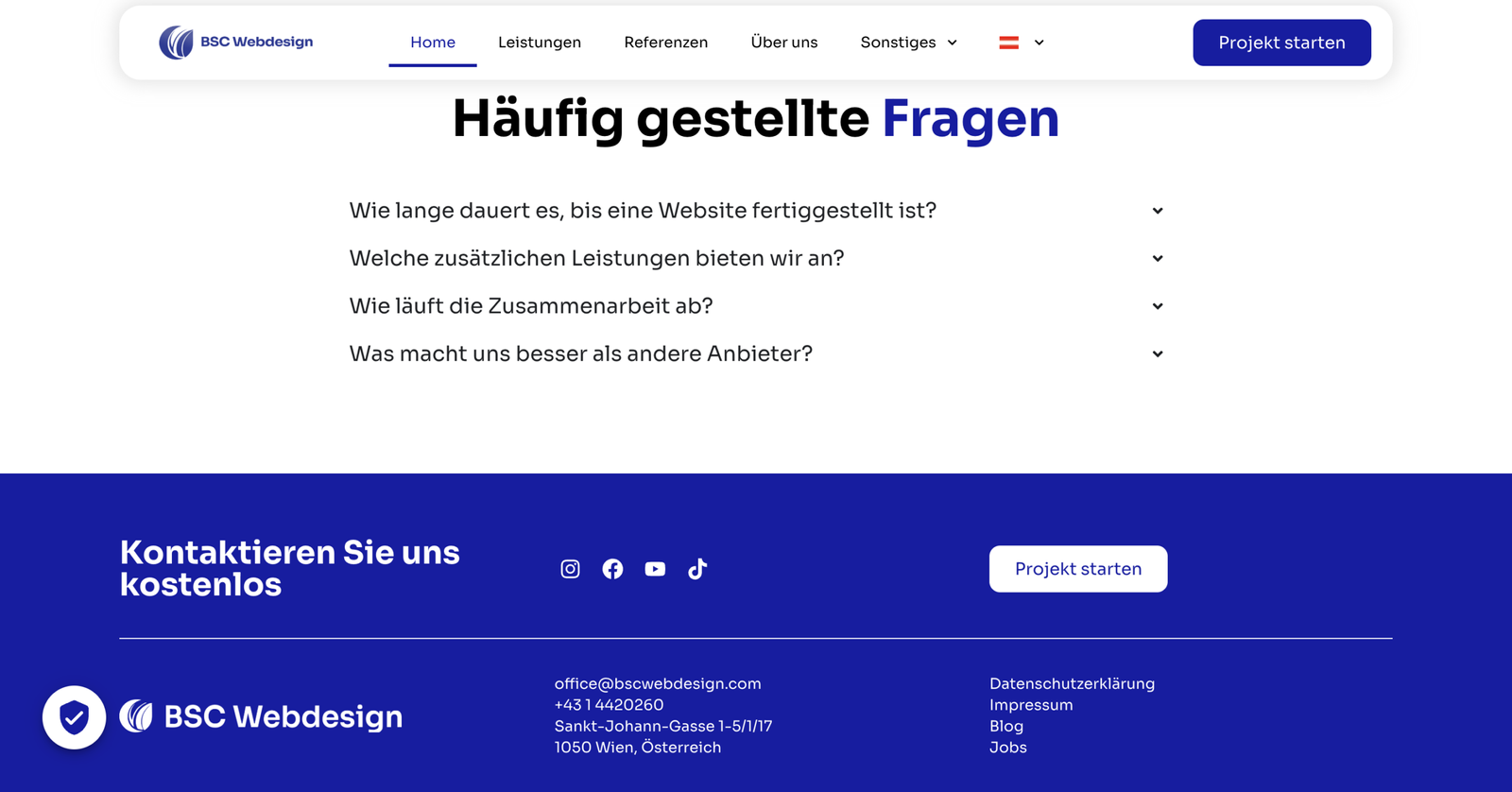
Example website without marked footer
What belongs in a footer? (typical structure)
A good website footer is like a clear “info section” at the bottom of the page. It helps visitors when they have finished reading or are quickly looking for something specific.- Contact – e-mail, telephone or contact page
- Mandatory links – Imprint and data protection
- Quick links – e.g. services, prices, about us
- Optional: Social links, opening hours or location
Why is the footer so important?
Many visitors scroll down to the bottom – especially for blog articles or landing pages. A clean footer gives them a clear next option to click on.- Orientation: Important links are immediately visible at the end
- Trust: Imprint/data protection appear serious
- Usability: Visitors don’t have to scroll to the top
- Conversion: Contact link at the end can bring more inquiries
Tip:
If you want to plan your website step by step (structure, content, design), our guide will help you:
Create website 2025 – step-by-step guide
.
Website footer structure: What makes sense?
The footer should not appear “overloaded”, but should be clearly structured. This structure almost always works for beginners:- Column 1: Short info + contact
- Column 2: Quick links (navigation)
- Column 3: Legal (Imprint, Data protection)
- Subline: Copyright notice (e.g. © 2025)
Typical footer errors (that you should avoid)
These mistakes often happen with construction kits or WordPress in particular – and they quickly look unprofessional:- Too many links – nobody clicks through a link list with 30 points
- No legal information – looks dubious and can cause problems
- Too small / difficult to read – text color or font size too small
- No clear finish – footer “frayed” and looks unfinished
Difference footer vs. header
The footer and header fulfill different tasks:- Header: Top – Navigation & first impression
- Footer: Below – Additional information, mandatory links & conclusion
Read more:
If you want to understand how a header is structured:
What is a header? Simply explained
Conclusion: A good footer creates trust & leads further
A website footer is often underestimated – yet it is the area that provides orientation at the end of a page. If your footer is clearly structured, the website looks clean and visitors can quickly find contact and important links.Next step:
In the big guide
Create website 2025 – step-by-step guide
you can see how header, footer and content together create a functioning website.
FAQ – short & simple
What is a footer on a website?
A footer is the bottom section of a website. It often contains important links such as contact, legal notice and data protection as well as other quick links.What belongs in a footer?
Typical are contact information, mandatory links (imprint/data protection) and quick links to important pages. Social links or a short note are optional.Why do websites need a footer?
A footer provides orientation at the bottom of the page, strengthens trust (e.g. through legal links) and helps visitors to click on without having to scroll for a long time.Is the footer the same on every page?
Usually yes. A footer is usually global so that visitors can find the same important links on every page.What is the difference between footer and header?
The header is at the top and is used for navigation and first impression. The footer is at the bottom and contains additional information, mandatory links and closing links. More about the header: What is a header?