

What favicon sizes does my website need? (PNG, ICO, SVG explained)
by Tobias Berger / updated 02.10.2025 / 3 min. Reading time
by Tobias Berger / updated 02.10.2025 /
3 min. Reading time
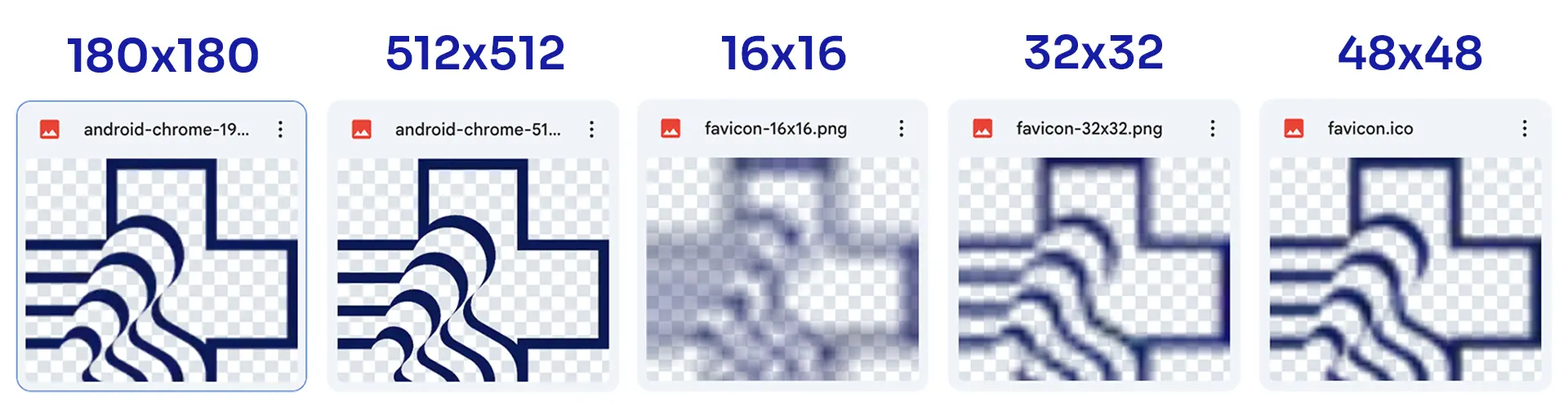
Schnell-Referenz: Größen & Einsatzzwecke
| Use Case | Empfohlene Größe(n) | Format |
|---|---|---|
| Browser-Tab (Standard & HiDPI) | 16×16, 32×32 | PNG oder ICO |
| Apple-Touch (iOS/iPadOS) | 180×180 | PNG |
| Google/Android & SERPs | 48×48 (Vielfache: 96, 192) | PNG |
| Quelle/Source für Generatoren | 512×512 | PNG, optional SVG (mit Fallback) |
| Kompatibilität (Fallback) | /favicon.ico (Mehrgrößen) | ICO |
Praxis: minimaler Code für 99 % der Fälle
So nutzen: Die folgenden drei Bausteine decken Tabs (PNG), alte Browser (ICO) und iOS-Homescreen (Apple-Touch) ab.<link rel="icon" href="/favicon-32.png" sizes="32x32" type="image/png"><link rel="icon" href="/favicon-16.png" sizes="16x16" type="image/png"><link rel="icon" href="/favicon.ico" type="image/x-icon"><link rel="apple-touch-icon" href="/apple-touch-icon.png" sizes="180x180">Formate richtig wählen
Empfehlung: PNG für 16/32/48/180/192/512, zusätzlich ein/favicon.ico im Root. SVG nur mit PNG/ICO-Fallback einbinden. Achten Sie auf korrekte MIME-Types: image/png, image/x-icon, image/svg+xml.

Why is my favicon not displayed in Google?
In short: Mostly crawl delay, wrong markup or blocked file.
Check:
rel="icon"in<head>, correct path, HTTP status 200, norobots.txtblock.File: Square, at least 48×48 px (larger ok), clear, unobjectionable motif.
Consistency: Link the same icon on all important pages.
Empty cache: CDN/server/browser; Google usually adopts changes in hours to a few days.
Why can't I see my (new) favicon in the browser/Chrome?
Almost always cache or double entries.
Hard reload (Ctrl/Cmd+Shift+R), test incognito if necessary; if required, URL versioning like
/favicon.png?v=2.DevTools → Network: Select favicon request → Status 200, correct content type (
image/pngorimage/x-icon).Markup: Link belongs in the
<head>, not in the body; delete old/duplicaterel="icon".Local tests: Many browsers show local pages without a favicon – check online.
Which formats & sizes should I use so that the favicon works everywhere?
Set to PNG + ICO (SVG only with fallback).
Minimum set: 16×16, 32×32 (browser tabs), 180×180 (Apple Touch). Optional 512×512 (Android/Source).
Practice: In addition, a
/favicon.icoin the domain root for maximum compatibility and explicit<link rel="icon" ...>tags for PNG.Design: Simple, high contrast, no fine details – test in 16×16, whether still recognizable.
Consistency: Use the same icon/markup across all templates so that no variants collide.
In this article
Conclusion: Correct paths, clean rel="icon" markup and cleared caches usually solve the problem of a favicon not being displayed.
Tip: Not sure how to create the sizes 16×16, 32×32, 48×48, 180×180 & Co. correctly? Use a
Hey, I'm Tobias!
Thanks for taking the time to read this post – really cool that you’re interested in website & web design!
You can find many more tips on design, technology and SEO on our blog. And if you have any questions or need support with your own website, we at BSC Webdesign are always happy to help.